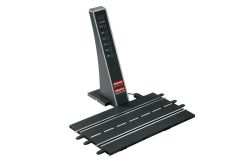
No more cable spaghetti! The Carrera WIRELESS+ wireless technology makes it possible
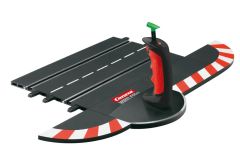
The wireless 2.4 GHz WIRELESS+ speed controller provides greater freedom of movement during the battle on your slot car race track. Its lightweight construction is a real advantage during wild chases, as your hands are not burdened with unnecessary weight, meaning that your full concentration can be dedicated to operating the controller with precision to deliver optimum driving performance. So that up to 6 drivers can compete against each other within the same environment without any interference, the radio transmission runs on a frequency-independent basis by using frequency hopping via 2.4 GHz. The controller's range of up to 15 metres is also impressive. Whether you are at a short distance from the race track or your track is so big that you lose sight of your speedster during the race in loops or steep curves – the connection remains stable. Every Carrera fan knows how fast time flies when you are competing in exciting competitions. The battery can therefore last up to 8 hours in continuous operation. In addition to the 2.4 GHz WIRELESS+ Speed Controller, this product also includes a replacement button, a lithium polymer battery and operating instructions.
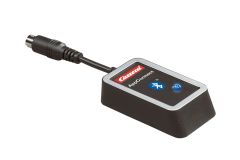
This controller requires a charging station (10114) and receiver (10112) to function. These accessories can be purchased as a set with either the 2.4 GHz Duo Set (10109) or the 2.4 GHz Single set (10110).
If adding to a digital set that already has 2.4 GHz controllers, additional chargers/receivers are not necessary as 1 receiver will control up to 6 - 2.4 GHz Controllers.
Please make sure there is only 1 wireless receiver plugged into your track. This receiver should be plugged in to either the 1st or 2nd tower on your control unit.
Take "controller 1" and hit the set button on the receiver, when you see the #1, press the black button on top of your controller
Take the "car 1" and put it on the track.
Press the code button once and then press the trigger on your controller. Car 1 should now be coded to controller 1.
Take "controller 2" and hit the set button twice on the receiver, when you see the #2, press the black button on top of your controller.
Take the "car 2" and put it on the track.
Press the code button once and then press the trigger on your controller. Car 2 should now be coded to controller 2.
Take "controller 3" and hit the set button twice on the receiver, when you see the #3, press the black button on top of your controller.
Take the "car 3" and put it on the track.
Press the code button once and then press the trigger on your controller. Car 3 should now be coded to controller 3.
Follow the same steps for the remaining cars/controllers.
You will not need to do this before every race; each car will stay coded to its controller. You should now be set to race